Device Configuration
Overview
The Device Config tab provides full access to all CurrentRanger R3 firmware settings. Changes are applied immediately to the device.
You can switch to Device Config at any time without interrupting data capture — the chart continues running in the background.
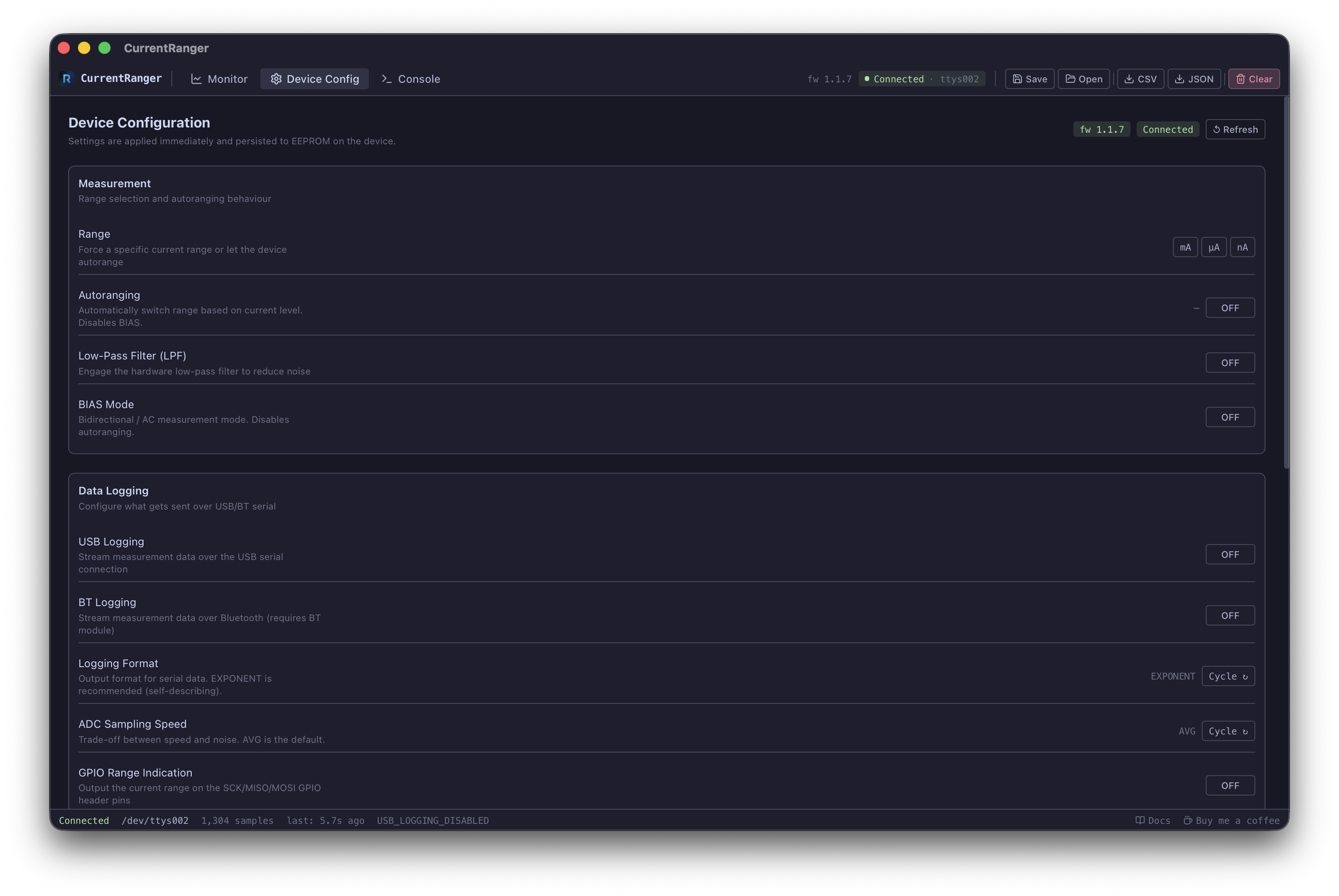
Measurement
| Setting | Command | Description |
|---|---|---|
| Range (mA/uA/nA) | 1/2/3 | Force a specific current range. Disables autoranging. |
| Autoranging | 6 | Automatically switch range based on signal level. Disables BIAS. |
| LPF | 4 | Hardware low-pass filter for noise reduction |
| BIAS | 5 | Bidirectional/AC mode. Disables autoranging. |
Data Logging
| Setting | Command | Description |
|---|---|---|
| USB Logging | u | Enable/disable USB serial data streaming |
| BT Logging | b | Enable/disable Bluetooth streaming (requires BT module) |
| Logging Format | f | Cycle: EXPONENT, NANOS, MICROS, MILLIS, ADC |
| ADC Speed | s | Cycle: AVG (default), FAST, SLOW |
| GPIO Range | g | Output current range on GPIO header pins |
Power Management
| Setting | Command | Description |
|---|---|---|
| Auto-Off | a | Cycle: DEFAULT (10 min), DISABLED, SMART |
Calibration
These settings persist to EEPROM on the device:
| Setting | Commands | Description |
|---|---|---|
| ADC Gain | + / - | Fine-tune gain correction |
| ADC Offset | * / / | Fine-tune offset correction |
| LDO Voltage | > / < | Adjust LDO reference voltage (+/- 1 mV) |
Click Query to refresh the current calibration values from the device.
System
- Reset Defaults (
!): Resets all runtime settings. Requires double-click confirmation. - Print Menu (
?): Outputs the full firmware menu to the serial log.